
Description
I received a contract to help bring a project to a new level. The initial implementation was a specialized app for a single firm and was in a poor state. I was tasked with transforming it into a generalized product that could be offered to other law firms. Due to the sensitive nature of the project, I cannot display screenshots of the first iteration.
About the projects requirements
The client specializes in traffic accident cases, which follow a consistent workflow. The firm receives various documents related to a case and needs to generate an initial claim letter, which is largely standardized. The system must then support the creation of subsequent letters based on the information gathered.
The core pipeline processes all incoming documents (currently via email) using LLMs and OCRs to extract relevant values and identifiers. This extracted data is stored in a database, and the system flags any errors or inconsistencies that require human review.
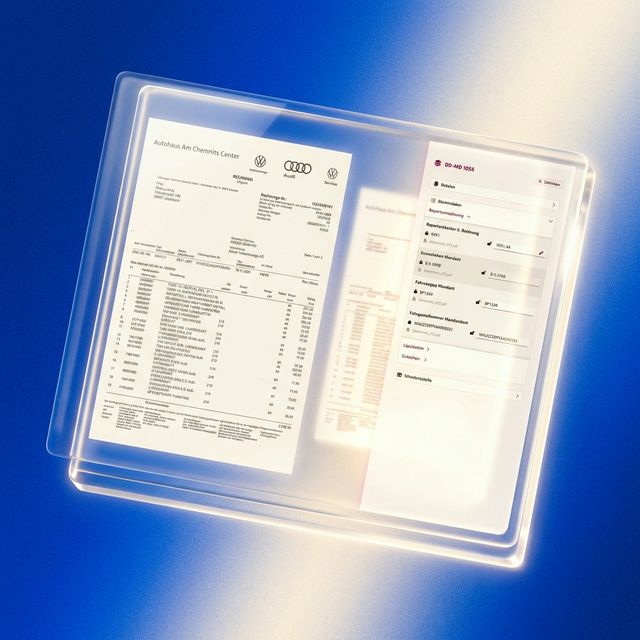
The frontend presents these extracted values to the user in a clear interface, allowing them to verify and correct the data against the original documents. Visual indicators highlight any issues that need attention. The user can now see all the extracted values in the frontend, checks them against the documents (visually presented) and can correct them if needed.
About the new implementation
The first steps of mine included to conceptualize and re-design the frontend from scratch based on the (also partially new) requirements. A lot of the features you can see in the figma document are also already implemented.
The user can see all the cases in a table that is sortable and searchable. The table indicates if the pipeline stumbled upon some errors or inconsistencies.

The user can see all the corresponding documents and where they came from (uploaded via the app or if it came in via E-Mail).

The user can view all the identifiers and extracted values while also being able to overwrite them if needed. It will be possible to click on those bounding boxes so the sidebar directly jumps to the corresponding extracted values (and vice versa).

When a new document goes through the pipeline the so called "Schadentabelle" gets generated as well. This always contains the current financial positions, what is claimed, what is already payed and what is still open. This is kept up to date automatically while the user also can manipulate those values within the frontend.

The next step for the employee of the law firm would be to create the first claim letter. For this they can create templates that are based on blocks. Blocks end editors can contain placeholders for the previously extracted identifiers and values so they get filled in automatically when the document is generated for a specific case.
The editor is implemented via the Quill Editor library.


The system is built as a multi-tenant product from the ground up. Each law firm operates in its own isolated tenant environment, configurable via the admin panel — including database connections, email intake settings, and access restrictions.
