
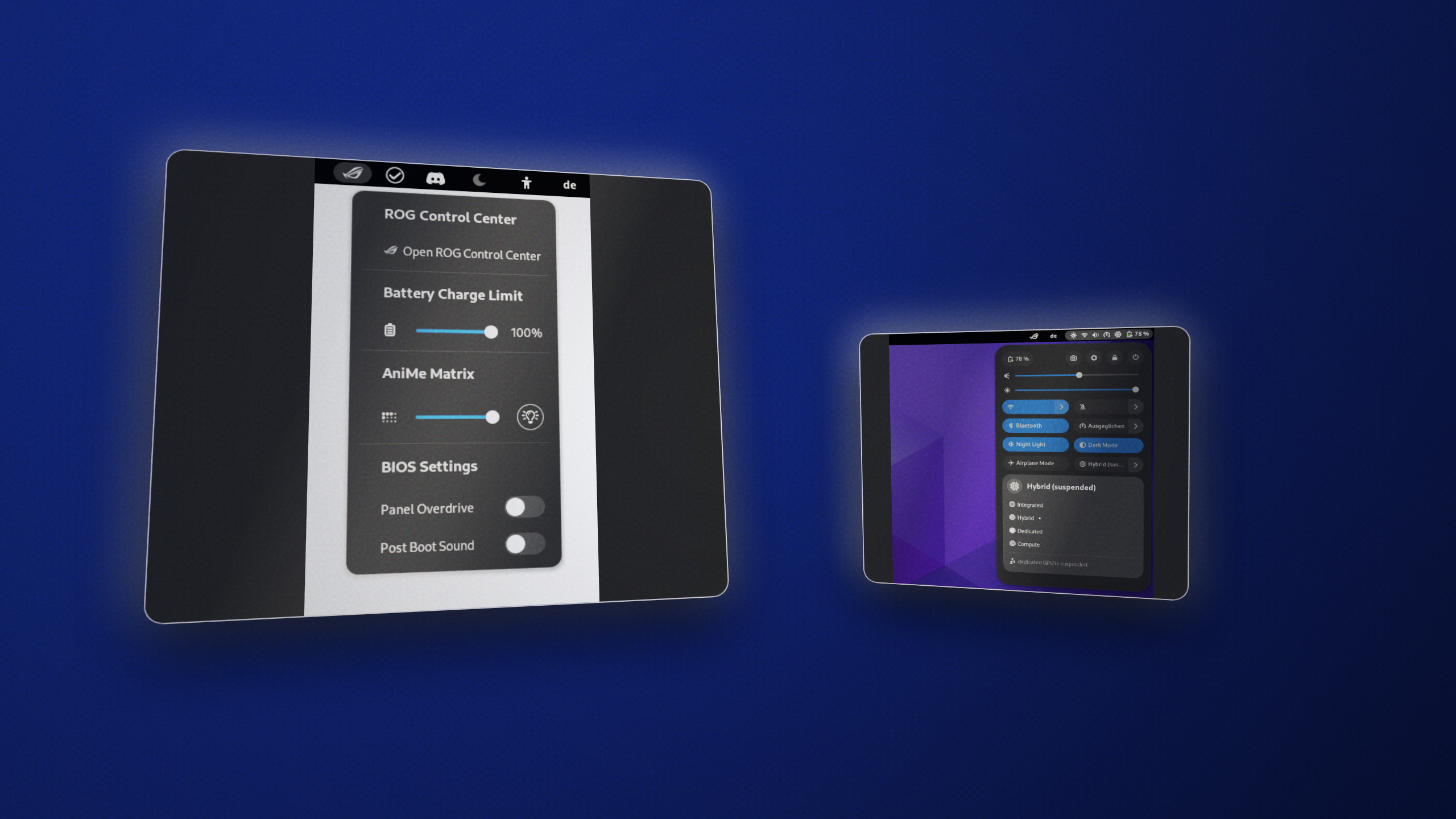
As part of the asus-linux open source community, I contributed to and maintained native GNOME Shell extensions designed to bridge the gap between powerful command-line hardware tools and the user-friendly desktop experience. These extensions provide seamless integration for ASUS laptop owners running Linux.
Asusctl GNOME Extension
A comprehensive GNOME integration for the asusctl (asusd) daemon. It provides a convenient popup menu directly in the system tray, allowing users to:
- Effortlessly change battery charging limits to preserve battery health.
- Control the AniMe Matrix display brightness and toggle its state.
- Monitor active hardware profiles and fan curves.
- Receive native desktop notifications for battery charge limits and daemon status changes.
Supergfxctl GNOME Extension
A dedicated, platform-independent extension for managing supergfxctl. This tool focuses entirely on hybrid graphics management, enabling users to:
- Quickly switch between different GPU modes (e.g., Integrated, Dedicated, Hybrid, Compute) without relying on the command line.
- Check current active GPU status at a glance.
- Trigger safe session logouts when a graphics mode change requires restarting the desktop environment.
Both extensions are built with modern JavaScript and integrate natively into the GNOME Shell architecture, providing a polished and native feel for Linux power users.