Web app in which a consulting company maintains its consultant profiles and generates PDFs in its corporate design from them: signed in with the Microsoft 365 account, with no installation and no server of its own.
Starting point
In a consulting company, consultant profiles are a working tool: they go to clients before a project starts and have to be current and consistently designed. They used to be maintained as Word documents. A first approach within the team had already moved the content to structured data and generated PDFs from it by script; the data was edited in a desktop program that had to be installed on every machine.
What was needed was a solution that runs in the browser without installation, works with the existing Microsoft 365 accounts and needs no server or database of its own.
My role
My part was the web app itself, from concept to code: interface, sign-in and storage via Microsoft 365, PDF generation in the cloud and the rollout of new versions. On top of that came a second PDF template in the current corporate design. The original PDF script, the first template and the desktop program came from colleagues in the team and were the starting point.
Approach
- No server of its own: Users sign in with their company account. Profiles, photos, PDFs and templates live in SharePoint, where the company works anyway; there is no database of its own. An early web version with its own backend was soon replaced by this setup.
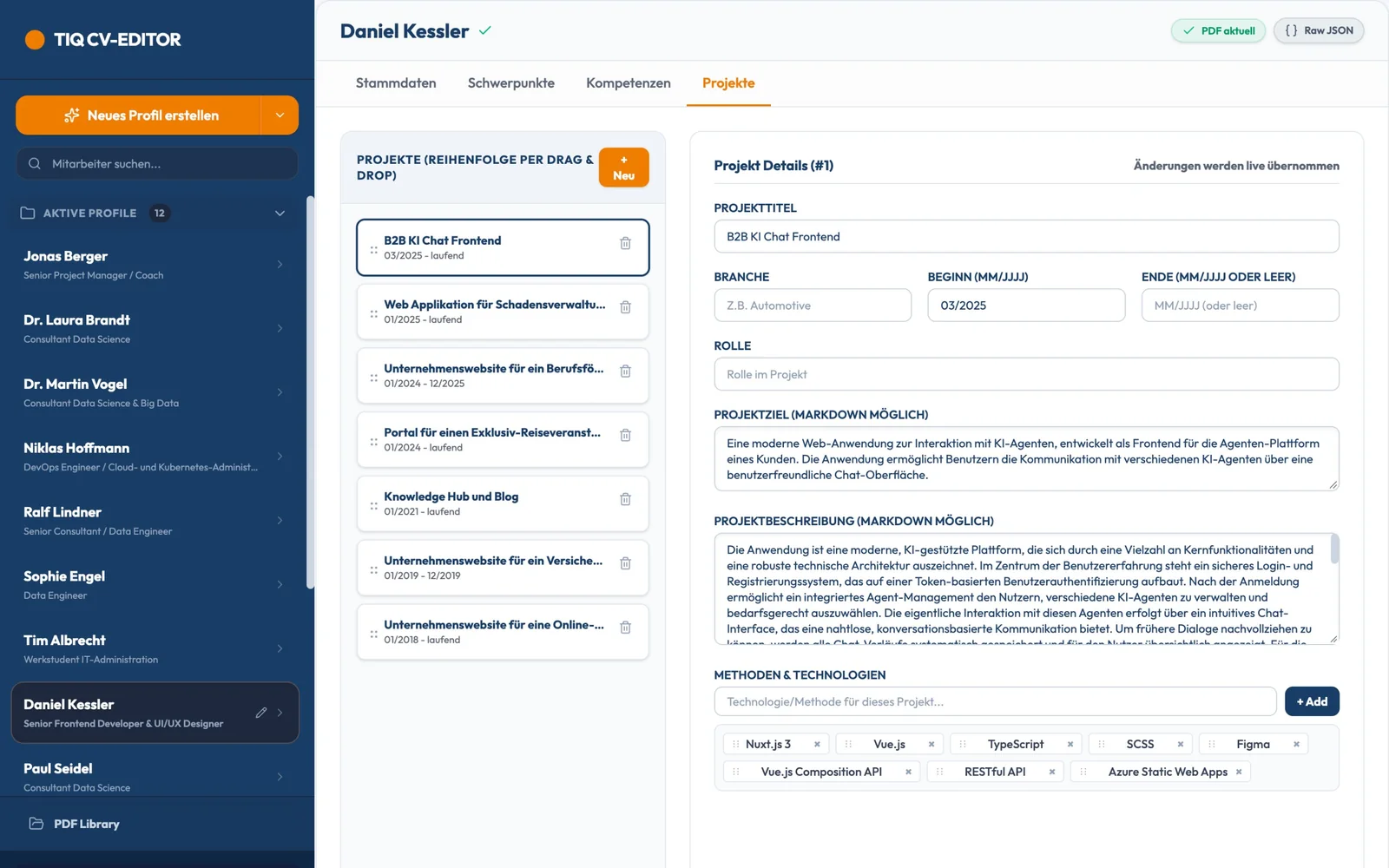
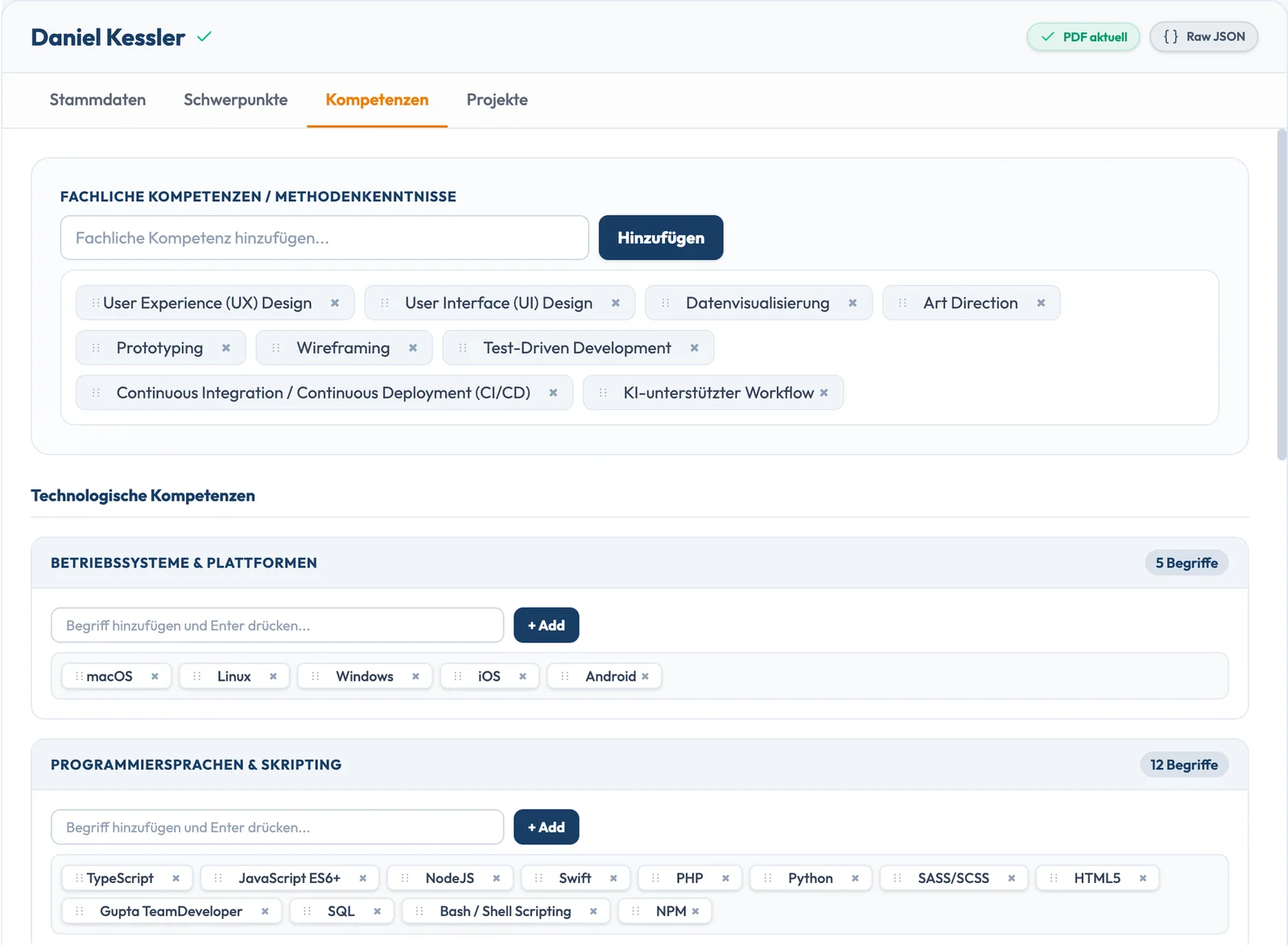
- Editor: A profile is split into personal details, focus areas, skills and projects. Entries are chips that can be reordered by drag and drop, and for technologies the app suggests terms from all profiles so that spellings stay consistent. Longer texts can use bold, italics and lists. Anyone who prefers working with the raw data switches to a data view with validation. Profile photos are cropped in the app.
- Working together: Changes are saved automatically, shortly after typing stops. Opening a profile locks it for others, and everyone sees who is working on it. If a profile is left untouched for a minute, it is released again.
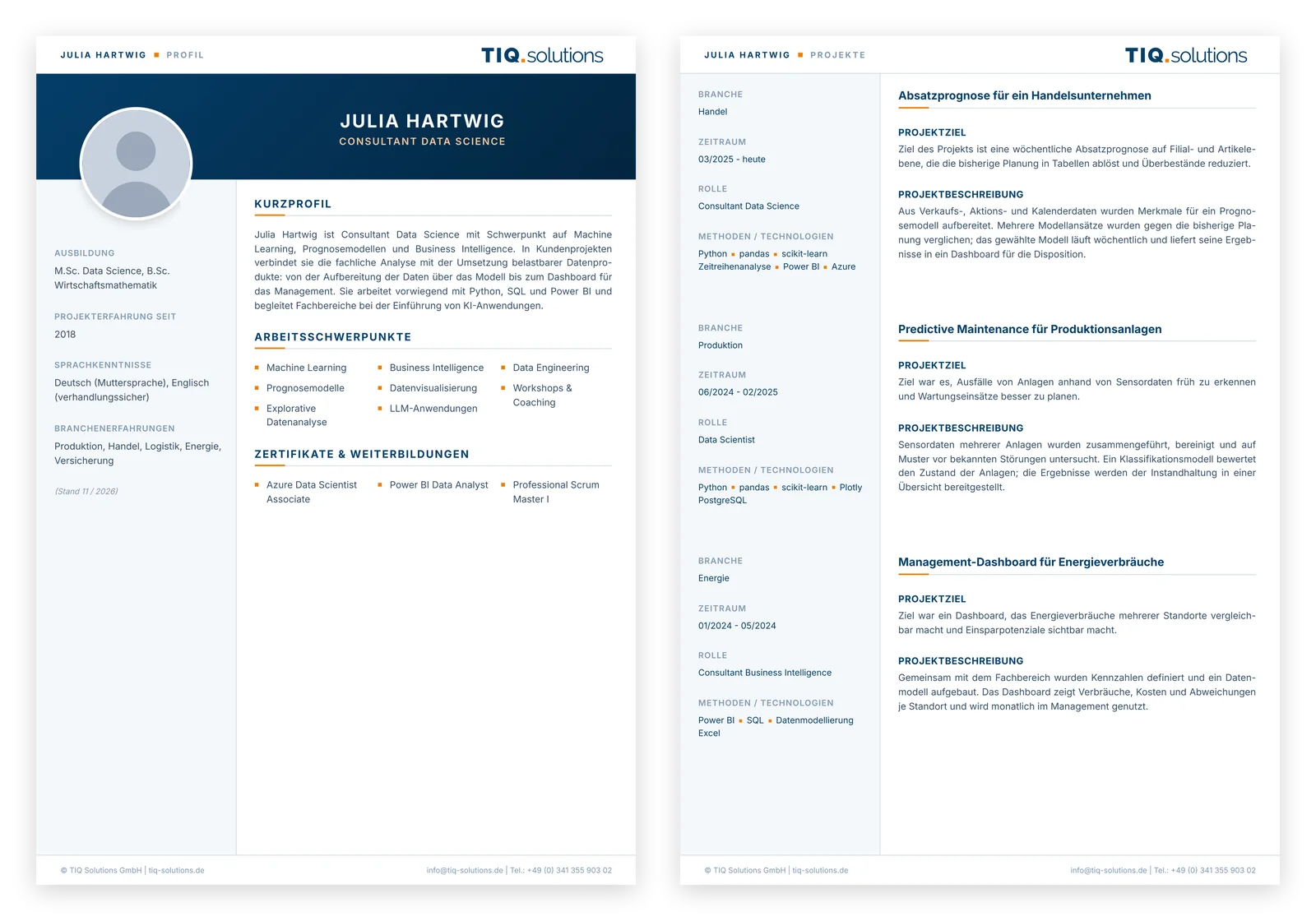
- PDF in the corporate design: One click turns a profile into a PDF in the company's corporate design, with German and English hyphenation. The templates lay out the content on A4 pages themselves and continue long project descriptions on the next page. The template in use is chosen in the settings and checked there with a preview.
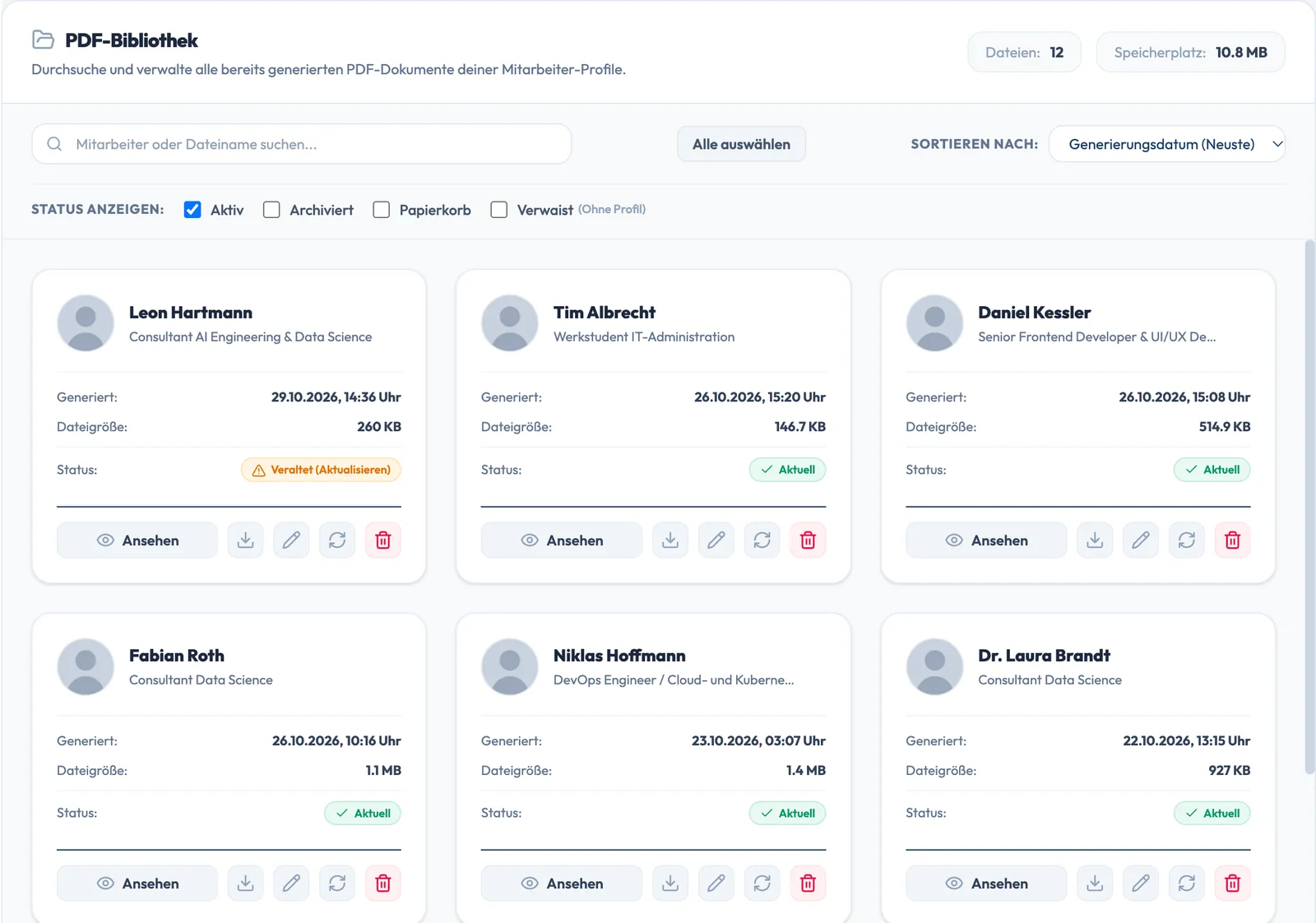
- Management: Profiles and PDFs are active, archived or in the trash. When a profile is newer than its PDF, the app marks the PDF as outdated, and several PDFs can be regenerated at once. The PDF library shows all generated documents, searchable and filtered by status. Storage location and file name pattern are set in the settings.
- Updates: New versions go live without a manual step, and after an update the app shows what has changed.
Result
A desktop program with local scripts has become a browser application that works with the company account and needs neither a server nor a database of its own. The profiles live where the company works anyway, and the PDFs look the same for every consultant. From the first web version at the end of May 2026 to version 3.6 in mid-June, 24 documented releases were published; since then I have continued developing the app as needed.
Planning a similar project?
A conversation clarifies whether and how your project can be implemented – with an initial assessment of scope and timeline.