Workbench for a wholesaler: a self-hosted vision language model reads purchase orders, the team checks them against the original and exports them as CSV.
Starting point
A wholesaler receives purchase orders in many forms: as PDF, scan, fax, photo or handwritten note, in German, English and French. Customer number, order number, article numbers and quantities used to be transferred by hand.
A vision language model running on the company's own GPU server reads these documents page by page: header data and line items. The result is checked against the master data, that is the customer list, the article master and the EAN mapping. Where something does not fit, a warning is raised, for example for an ambiguous article, an invalid check digit, an implausible quantity or a duplicate order number. No cloud service for language models is involved.
What was missing was the workplace for it: an interface in which the team checks, corrects and passes on the recognized orders, and a data store that connects the two.
My role
The browser workbench, the data layer through which it works with the recognition, and the installation on the client's server are my work. The recognition itself, meaning model, prompts, master data matching and email intake, was developed by a colleague.
Approach
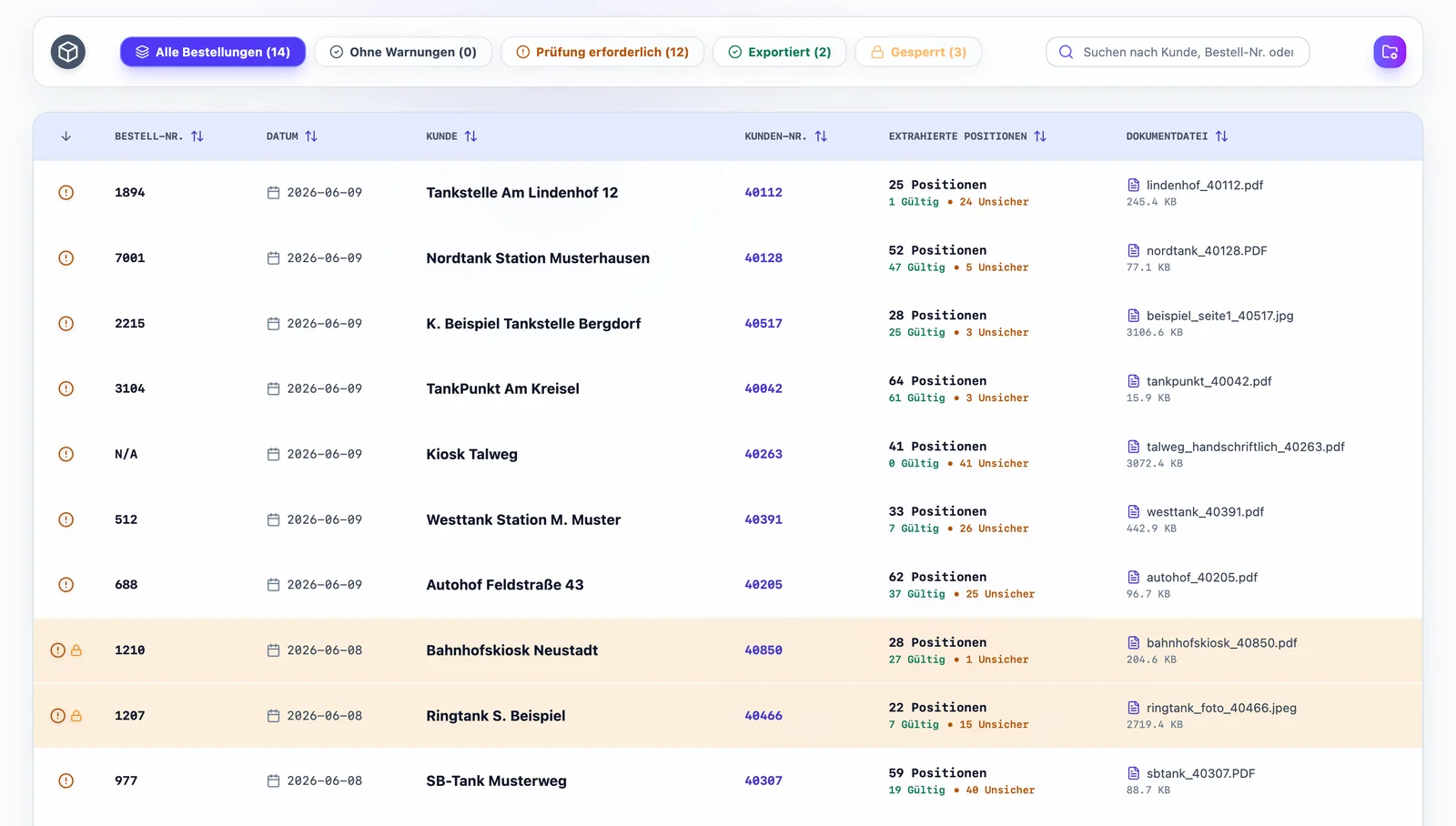
- Inbox: All recognized orders sit in one list with tabs by state: no warnings, needs review, exported, locked. It can be searched, sorted and edited with multiple selection; duplicates are grouped under their original. New documents appear in every open window without a reload.
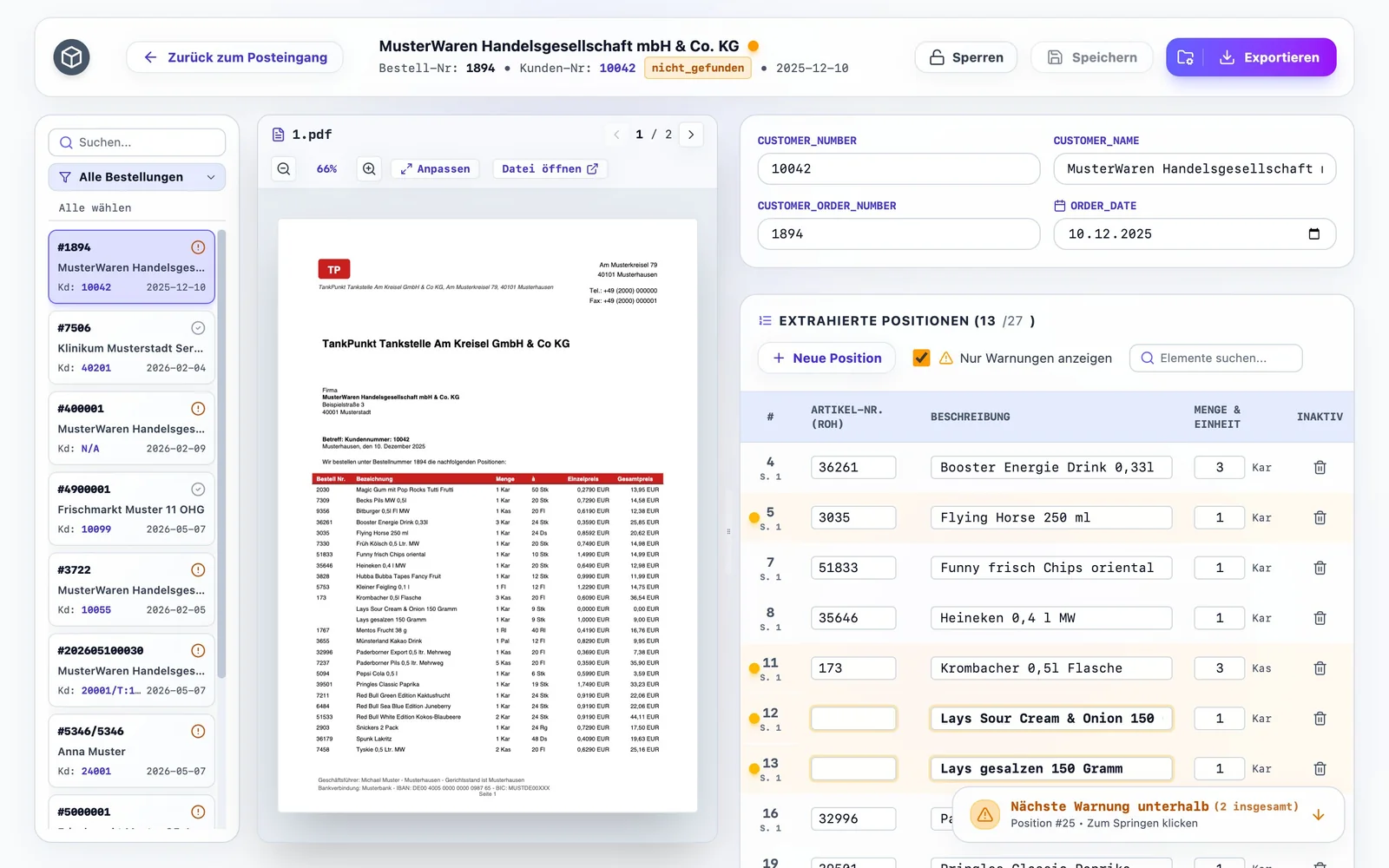
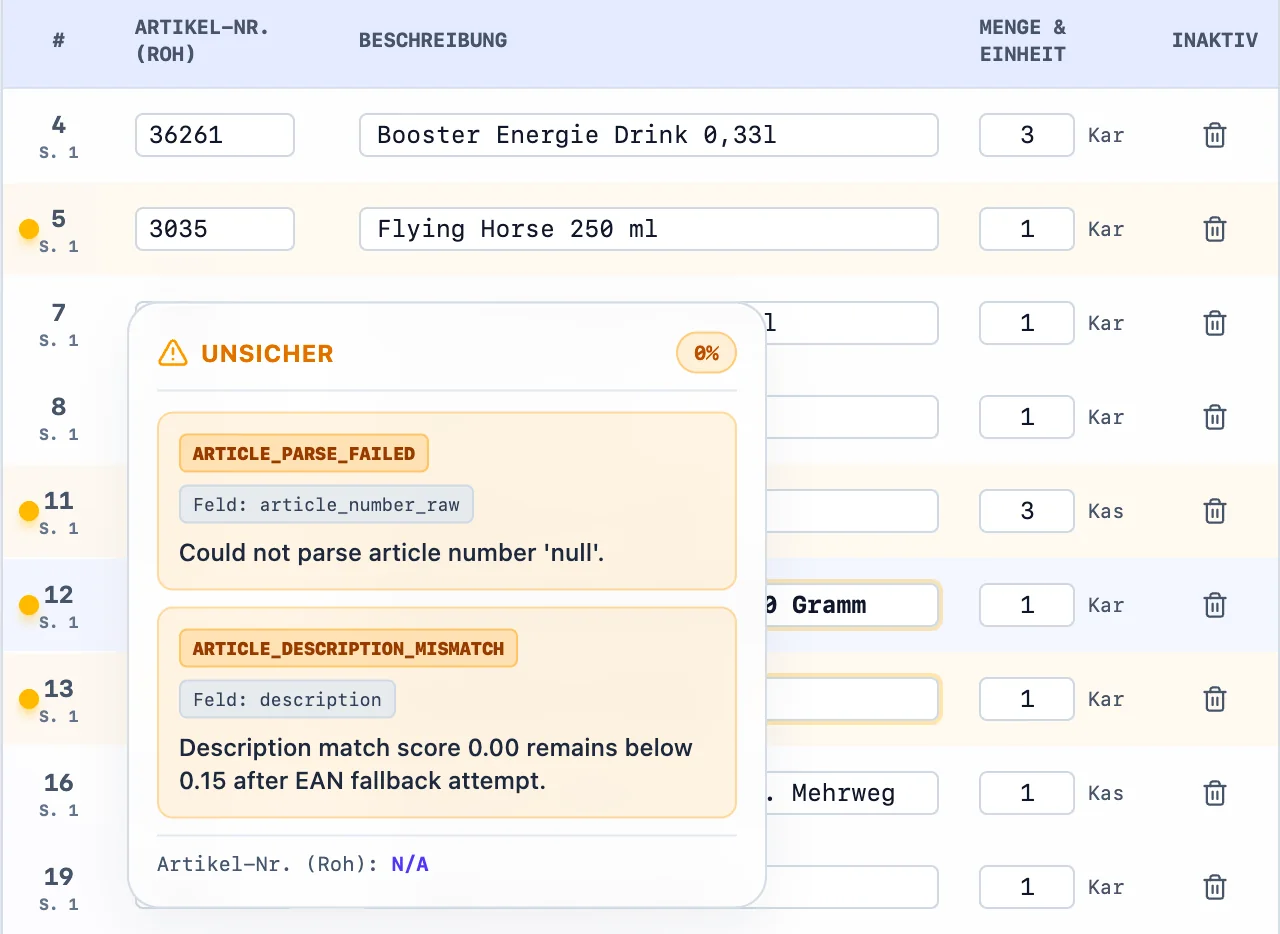
- Review view: The original document is on the left with zoom from 5 to 500 percent, header data and line items are on the right; each line item jumps to its page on click. The header shows whether the customer number was found in the master data and, for orders sent by email, the sender. The table first shows only line items with a warning, a floating button leads to the next one, and a popover names the type, field and match score.
- Corrections without loss: The recognized value is kept, the correction is stored next to it and can be undone. Line items can be added and deactivated. While a query to the customer is open, an order can be locked; editing and export are then blocked for everyone.
- Export: Each order is written as a CSV file to a chosen folder and only counts as exported once the file is actually there. Exporting an order again must be confirmed, and the files open safely in spreadsheet programs.
- Data layer: Recognition and workbench work on the same data, so an order has the same state everywhere. If the database fails, the application stays available read-only.
- Operations: New versions reach the client's server ready-built; there is no source code on it. For demos there is a separate version with ten anonymized sample orders that has no access to real data.
Result
The application is installed on a server at the client's premises and is filled by the recognition. Orders without a warning can be exported directly; for the others the interface leads to the places that need a decision. The documents never leave the client's own network.
Planning a similar project?
A conversation clarifies whether and how your project can be implemented – with an initial assessment of scope and timeline.